During the installation of the Woodwork for Inventor add-in, directories may be created on the computer and populated with corresponding library content. These directories contain the Woodwork for Inventor material and colour database, the standard Hardware component library, and furniture prototypes. Woodwork for Inventor projects are also provided, which are automatically configured and activated, required for working with the add-in.
Woodwork for Inventor project structure and directories
The project includes the following spaces:
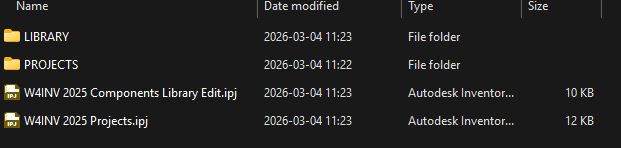
C:\W4INV 202X Projects\
LIBRARY\ - the initial database of library components used for product design.
PROJECTS\ - the workspace where all designed wood products are stored.
Samples - examples of designed products. They appear when the user downloads them.
iBOX LIBRARY - a library of iBox-type components where prototype assemblies and constructions are stored, which can be inserted and used as final constructions.
SMART HARDWARE - a library where Smart Hardware-type assemblies and, if needed, their parts are stored.
Public Documents\
Woodwork for Inventor\ - contains additional files supporting the add-in.
\202X\ - a directory that separates files by Autodesk Inventor version.
\V1Y\ - a directory that separates files by Woodwork for Inventor version.
\Auto Plot Templates - a directory containing drawing templates.
\Units Settings - a directory containing unit configuration files.
\Postprocessors settings - a directory containing files that store connection settings.
\SDK - a file for launching the programming environment tools.
Woodwork.db - the add-in material database.
\Textures - a directory containing texture images.
\BOM templates - a directory containing bill of material templates.
\Replacement Data Samples - a directory containing examples of materials and hardware used when creating Replacement schemes.
W4INV Material Library.adsklib - a user-created Autodesk Inventor material library used to ensure proper operation of the add-in.
Automatic libraries download and loading
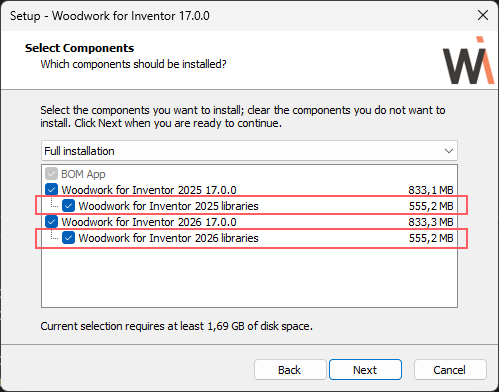
During installation, users can select for which Autodesk Inventor versions the Woodwork for Inventor add-in should be installed and/or whether library files should be downloaded automatically.
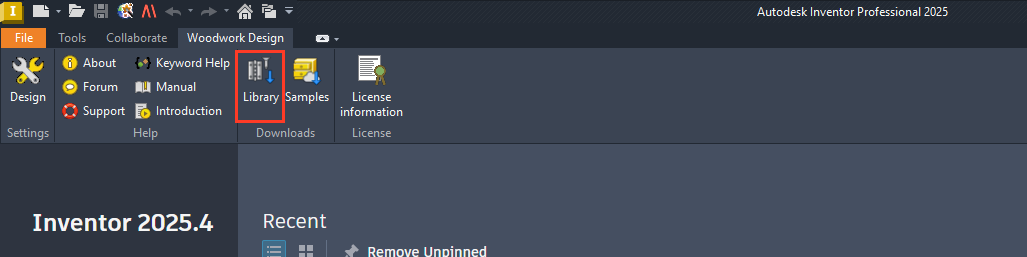
If the user skipped automatic file download, it can be done later by invoking the Library Download tool from within the Autodesk Inventor environment. By selecting Library in the main menu, the entire package will be automatically downloaded and installed on the computer.
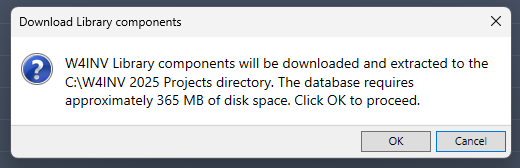
After clicking the button, users will be informed how much disk space will be used and where the project will be set up.
After installation is completed, users are informed about the performed actions.
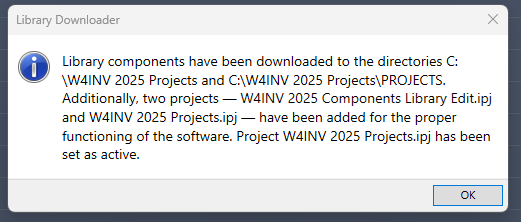
In the Project Wizard, two projects required for work are loaded, and the active project needed for further work with Woodwork for Inventor is set.
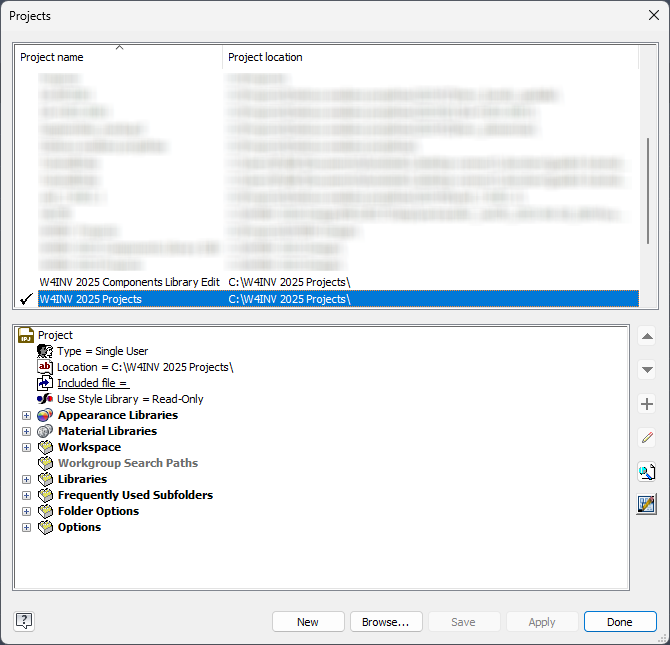
Manual configuration of project files

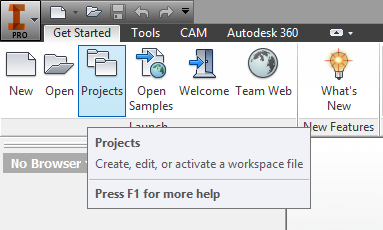
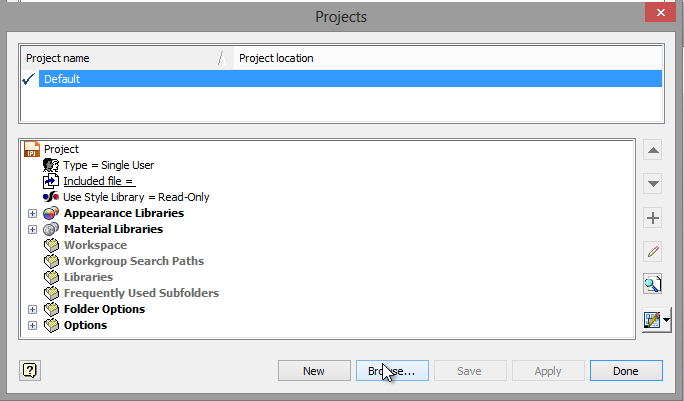
1.Launch Autodesk Inventor. 2.In Autodesk Inventor, open the Projects dialog.
3.In the Projects dialog, locate the workspace location.
4.In the workspace location, double-click to select W4INV 202X Projects.
5.In the Projects dialog, click "Done".
|
If you want to work with existing designs created in your own projects and use Woodwork for Inventor functionality, make the following changes in your project:
1. In your project’s Appearance Libraries and Material Libraries sections, add the Autodesk Inventor material library used by the add-in, which is: C:\Users\Public\Documents\Woodwork for Inventor\\W4INV Material Library.adsklib or (v16 and older version) C:\Users\Public\Documents\Woodwork for Inventor\202X\W4INV Material Library.adsklib
2.In the Libraries section specify the following paths: Library - C:\W4INV 202X Projects\LIBRARY - path to the Woodwork for Inventor component database. Textures - C:\Users\Public\Documents\Woodwork for Inventor\Textures - - path to images used in W4INV Material Library.adsklib library. Library - C:\W4INV 202X Design\LIBRARY - path to Woodwork for Inventor component database. _Library - C:\W4INV 202X Design\_LIBRARY - path to Woodwork for Inventor proxy component database. Textures - C:\Users\Public\Documents\Woodwork for Inventor\Textures - path to images used in W4INV Material Library.adsklib library.
|