The command refreshes a drawing(s) according to the most recent settings selected by the user.
Opening the command
The command is available in several environments:

Woodwork Design -> Drawing -> Drawing Refresh
If the drawing has many sheets, the user may choose which sheets have to be refreshed. To do this, before running the command, select the desired sheets using the mouse cursor in the side browser and then run Drawing Refresh command. Only the selected sheets will be refreshed. If no sheets are selected, all sheets of the drawing will be refreshed.
|

Woodwork Design->Drawings->Drawing Refresh
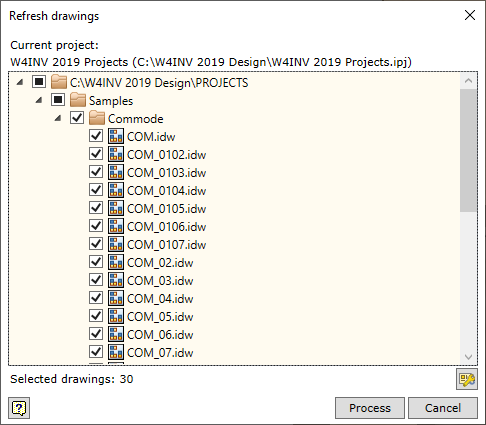
In this case, the user can specify the drawings to be refreshed on the computer disc. The user can select the whole directory or individual files.
|

Locking against automatic updates.
If the user wishes, selected drawing Sheets can be locked and excluded from regeneration. In this way, if the user has made their own changes, they will be protected and the drawing composition will remain unchanged.
The command can be invoked by right-clicking and selecting the "Lock Sheet" option.
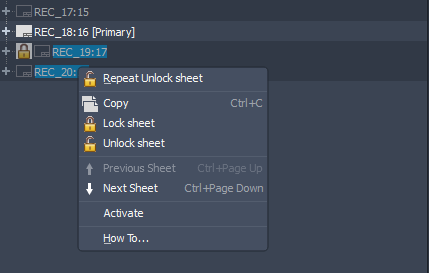
▪Lock sheet – locks the selected drawing sheet against drawing regeneration.
▪Unlock sheet – unlocks the selected drawing sheet for drawing regeneration.