Concept
After product design, information is generated that is then used during the manufacturing process. This includes various specifications, drawings, and CNC programs. Each act of generating this information requires manipulations by the designer in the Woodwork for Inventor environment. Over time, this becomes a routine procedure. These procedures can be automated. In Woodwork for Inventor, the output of such procedures can be implemented in an add-in that can be created using Visual Basic and the iLogic environment. Woodwork for Inventor provides a full range of API functions, which can be used to create Rules that automate various information generation scenarios.
Using these tools, standard iLogic functions can be combined by inserting prepared Snippets. In this way, the final program code can be assembled according to the specific needs of the user. Woodwork for Inventor provides the ability to output data automatically to:
▪Sculpt
▪BOMapp reports
▪AutoPlot
▪CAM technology and output

Automated Sculpt operations: ▪Sculpt operation for one instance. ▪Sculpt operation for multiple instances. ▪Sculpt operations for all document instances. ▪Deleting a Sculpt operation for one instance. ▪Deleting Sculpt operations for multiple instances. ▪Deleting Sculpt operations for all document instances.
|
Automated BOMapp report output includes the following functions and settings: ▪BOM report generation. ▪BOM report generation with available settings: ✓Specifying the file name. ✓The file path (absolute or relative). ✓Overwrite settings. ✓Material Replacement configuration selection. ✓Hardware Replacement configuration selection. ✓Insertion of linked files. ✓Breaking old links. ✓Deleting unused MS Excel Sheets. ✓CSV delimiter selection. ✓Text encoding selection. ▪Launching the BOMapp add-in. . |
Automated AutoPlot drawing output includes the following functions and settings: ▪AutoPlot drawing report generation (basic). ▪AutoPlot template specification. ▪AutoPlot drawing generation with available settings: ✓Template selection. ✓Path to the output directory. ✓Overwrite settings. ▪Material Replacement configuration selection.
|
Automated CNC Technology output includes the following functions and settings: ▪CNC technology generation by specifying Equipment type. ▪CNC technology generation using standard settings. ▪CNC technology generation with Nesting configurations. ▪Extract CNC links with model files. ▪Delete CNC output data.
|
Automated CNC Output includes the following functions and settings: ▪CNC Output generation for the active document using default settings (basic). ▪CNC Output generation with available settings: ✓Path to the output directory. ✓Overwrite settings. ✓Creating directories by material type. ✓Attach output NC files to parts.
|
To import iLogic samples, the following steps must be performed: 1.Extract the archive located in this directory C:\Users\Public\Documents\Woodwork for Inventor\<year>\v17\SDK
2.By default, the extracted archive places all files into the Woodwork for Inventor SDK directory located in the user’s Documents directory C:\Users\<user_name>\Documents\Woodwork for Inventor\<year>\v17\SDK\
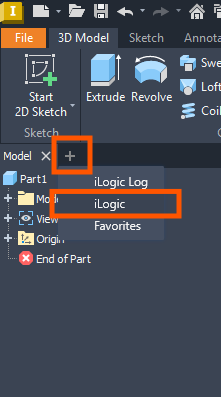
3.After launching Autodesk Inventor, open any empty Assembly or Part document. 4.Open the iLogic tree, if this has not already been done.
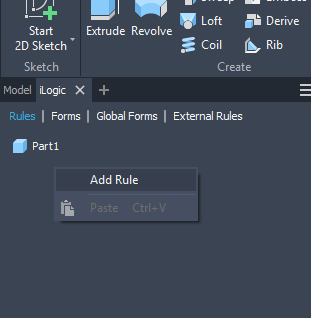
5.Create an empty iLogic rule by right-clicking.
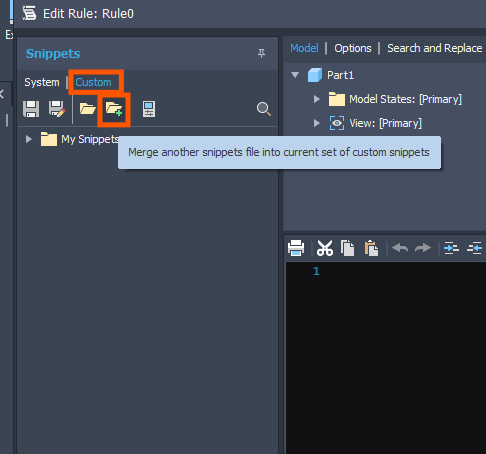
6.In the window that opens, click "Custom" and be sure to select "Merge", otherwise the original Autodesk Inventor Snippets will be deleted.
7.Specify the W4INViLogicUserSnippets.xml file located in the path of the directory extracted in step two: C:\Users<user_name>\Documents\Woodwork for Inventor<year>\v17\SDK\API\
8.The system is now ready to work with iLogic Snippets intended for Woodwork for Inventor.
|
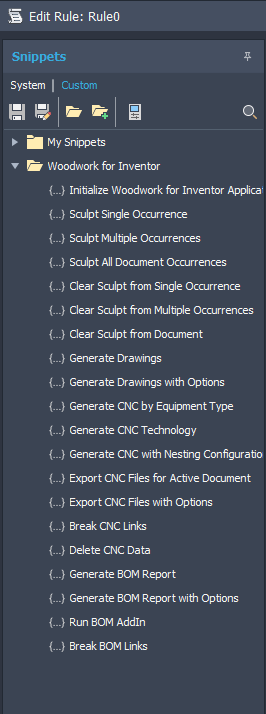
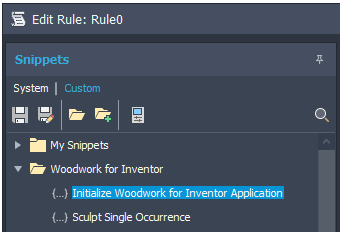
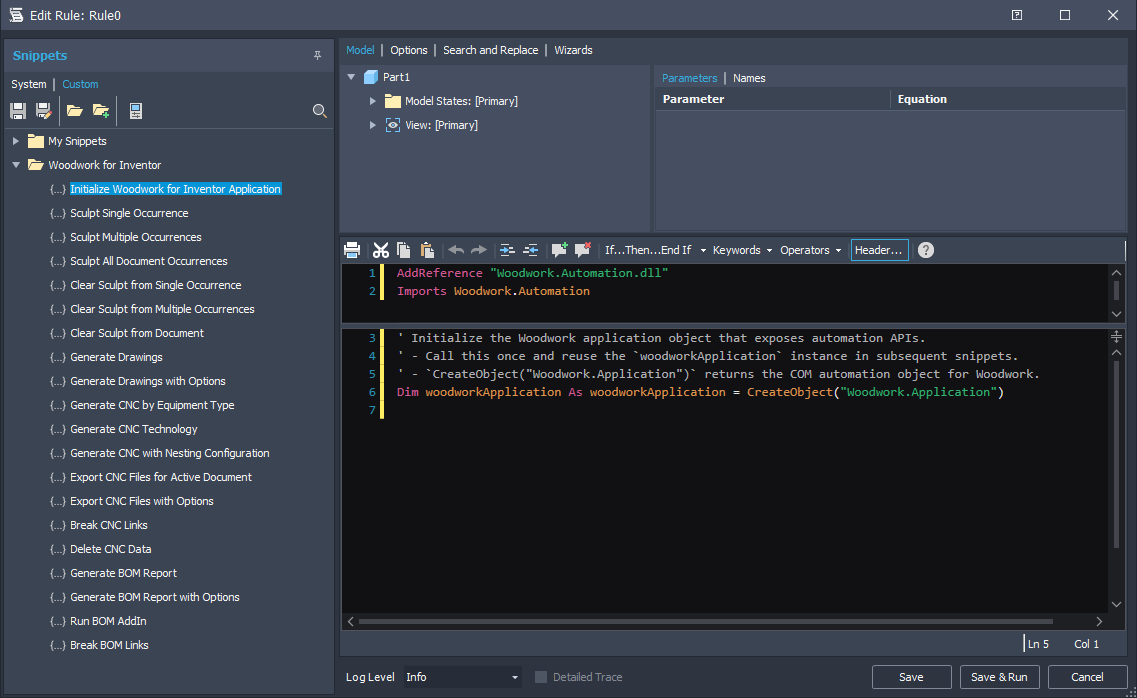
Important! To ensure proper operation of the snippets, before starting further work with them, it is mandatory to insert a preamble that loads the required tools. This preamble is already prepared, and it is only necessary to double-click Initialize Woodwork for Inventor Application in the side panel of the iLogic editor.
Then a program code snippet required for further work will be inserted into the iLogic editor window.
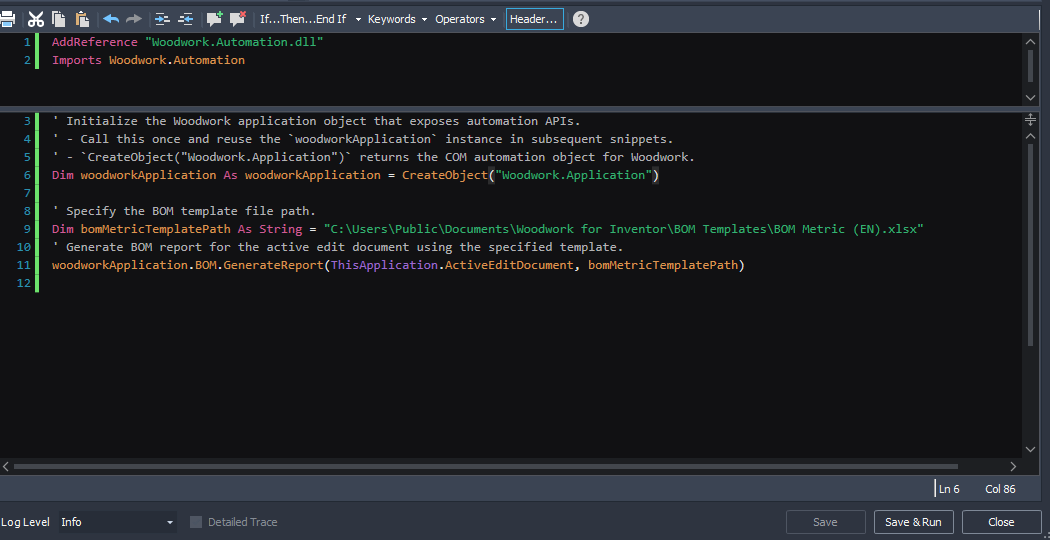
Later, by combining the other provided code snippets, it is possible to create the final iLogic rule code that will perform specific actions. To insert code snippets, double-click the desired snippet, and it will be inserted into the editor. Below is an example that generates a BOM report. This code consists of the preamble and the Generate BOM report code snippet example.
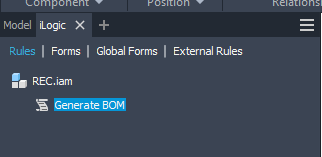
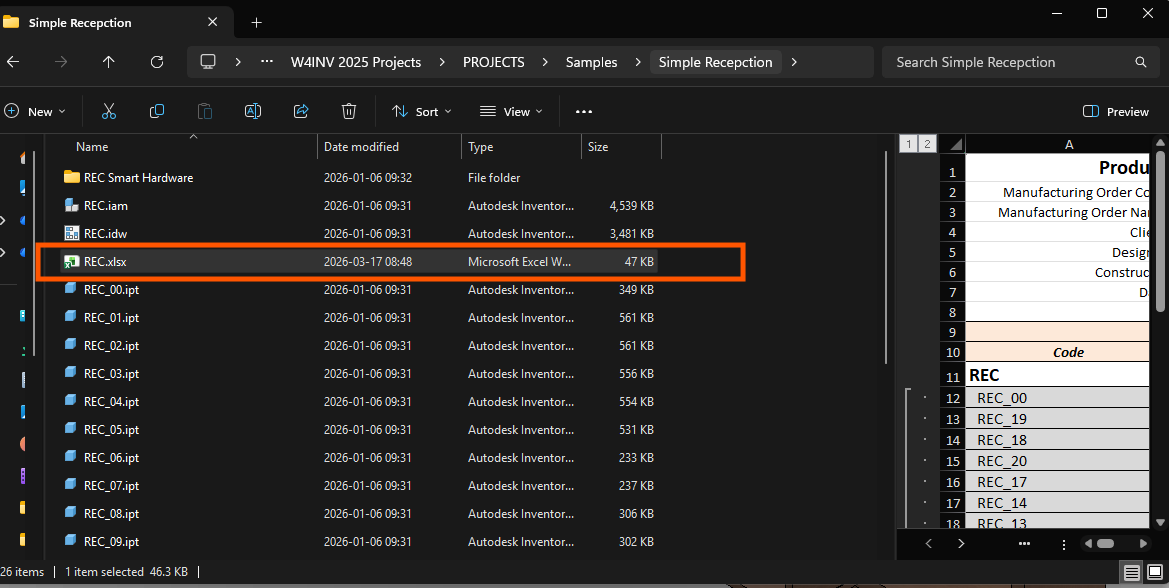
The result is as follows – an iLogic rule is created, which is visible in the document. When it is run, a BOM report will be generated and saved in the same directory where the Assembly is located.
By combining several different rules from the provided list, it is possible to automate processes intended for documentation preparation and output. For example, after creating a rule, NC files, a BOM report, and drawings can be generated automatically. The rule itself can be run as a single rule using standard iLogic tools – from the iLogic rules form or directly from the tree. |
Documentation
More details about program snippets and their comments can be found in the application programming interface documentation at C:\Program Files\Celi APS\Woodwork for Inventor<year>\Help.
It is also useful to become familiar with creating iLogic rules using Autodesk Inventor tools. This can be found in the Autodesk Inventor documentation.