Corner Recess is a small, intentionally created hole or indentation in an internal corner where two Edges intersect. Instead of leaving the corner sharp or simply rounded by the cutting tool, a small Recess is deliberately formed in the corner, extending slightly beyond the corner itself.

This design feature is most used when a Workpiece is machined using round cutting tools such as Milling cutters and Drills. Since these tools are cylindrical, they naturally create rounded internal corners. However, many woodworking joints use rectangular or square parts, such as dowels, tenons, or panels. Such parts cannot fit completely into a rounded corner. The Corner Recess removes extra material in the corner and allows the mating part to seat fully and fit tightly against the surfaces.
Corner Recesses are especially common in CNC-routed woodworking projects, for example: ▪In tab-and-slot joints. ▪In grooves of furniture panels. ▪In assembled furniture constructions. ▪In plywood constructions cut on CNC machines. ▪In precise furniture or structural components.
In addition to the main function of ensuring proper part fit, Corner Recesses offer other advantages: ▪They allow square parts to fit precisely into milled slots or grooves. ▪They compensate for the round shape of cutting tools. ▪They make assembly easier. ▪They help prevent situations where a joint does not seat fully or jams. Usually, the recess size is selected based on the diameter of the cutting tool used, although it is sometimes made slightly larger to ensure sufficient clearance. Although this feature is primarily functional, it can also remain an unobtrusive part of the construction or even become a subtle design element. Corner Recesses are widely used in modern digital manufacturing and CNC woodworking processes because they make it possible to combine the use of round cutting tools with precise square-corner joints. Below are several illustrations showing such corner recesses.
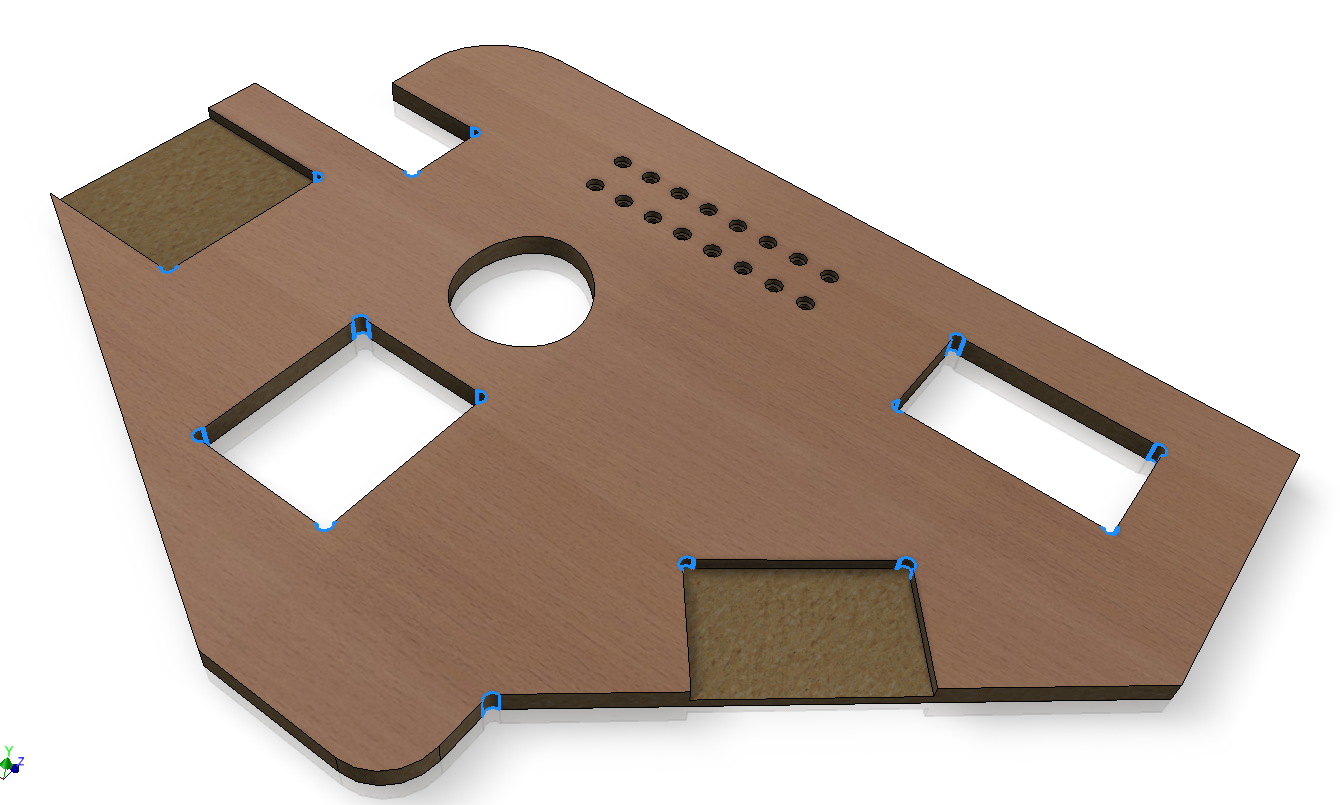 Corner recess in a single part
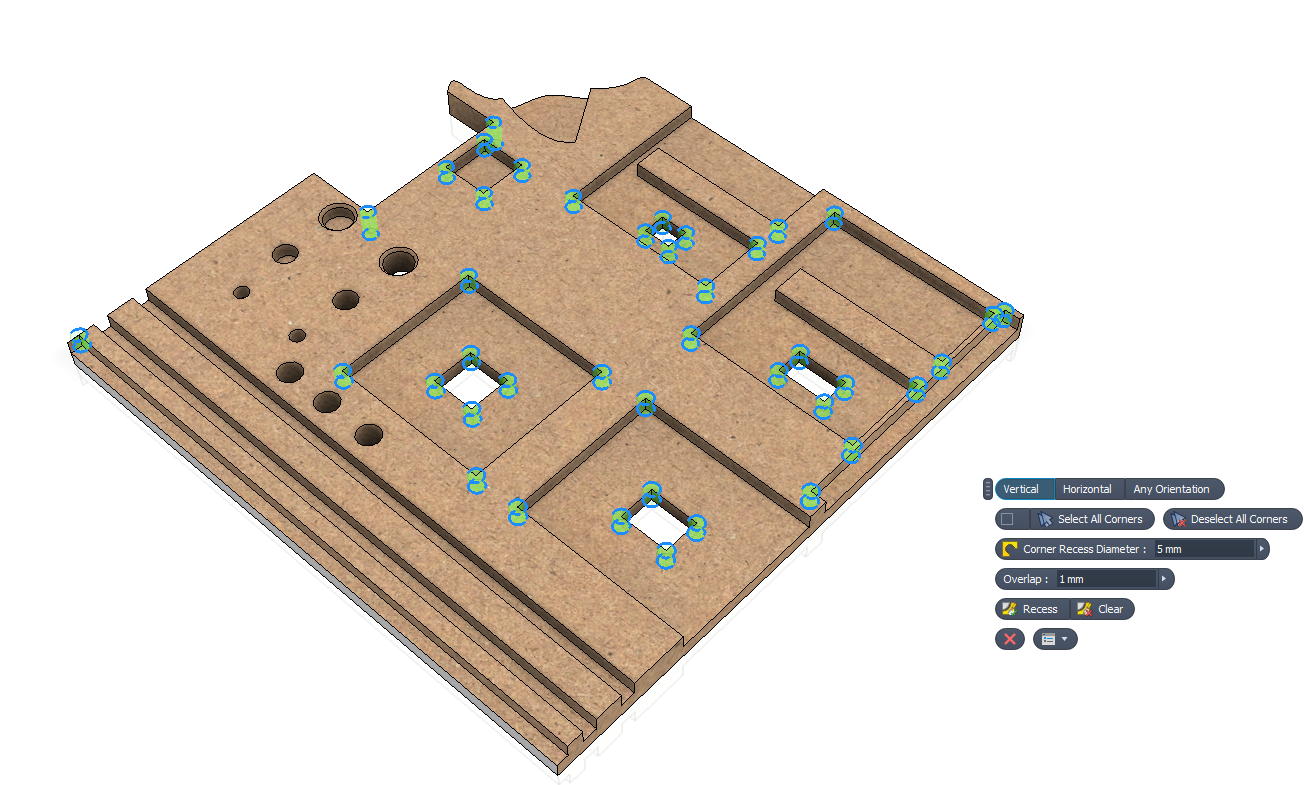 Corner recess sellecton
|
Corner Recess command in Woodwork for Inventor environments and how to invoke it
The Corner Recess command in the Woodwork for Inventor add-in can be accessed from all three main design environments: Skeleton Design, Part Design and Assembly Design.



In the Skeleton Design environment, the invoked command allows selecting a Panel and marking corners that meet the criteria for recess creation. Descriptions of the command mini-toolbar and other commands are provided below.
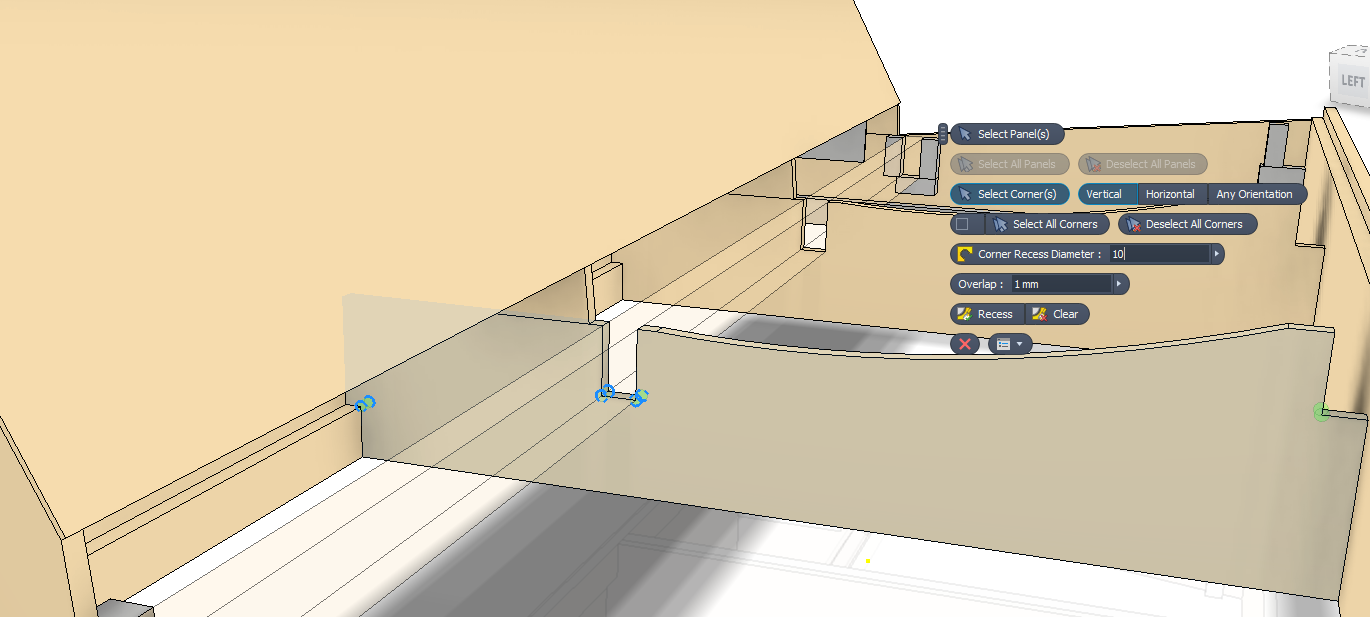 Corner recess Skeleton panel selection
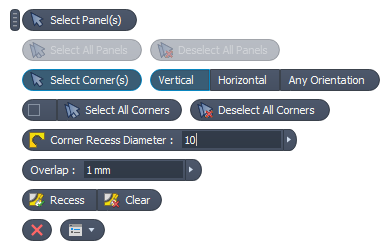
Mini toolbar command and its designations.
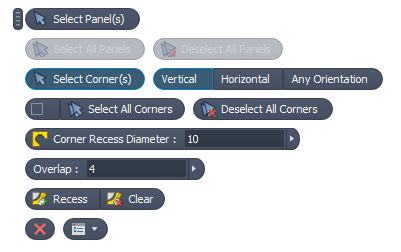
▪Select Panel(s) - allows selecting which Panels can be marked and added to the Selection set. ▪Select All Panels - allows collecting all Panels into the Selection set. ▪Deselect All Panels - removes all selected Panels from the Selection set.
▪Select Corner(s) - marks corners suitable for Processing. ✓Vertical - collect only vertical edges/corners. ✓Horizontal - collect only horizontal edges/corners. ✓Any Orientation - collect all edges/corners at any angle. ▪Select All Corners - collect all edges/corners. ▪Deselect All Corners - remove all edges/corners from the Selection set.
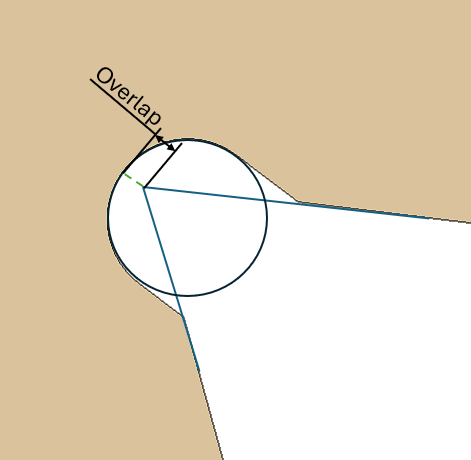
▪Corner Recess Diameter - the diameter of the corner recess. ▪Overlap - the offset value from the circle tangent to the corner. This value cannot be greater than the circle radius.
▪Recess - create corner recesses. ▪Clear - remove corner recesses.
|
In the Part Design environment, the operation of the Corner Recess command is adapted to part creation tools. Here, there is no need to select the part first, and corners as well as recess parameters can be marked directly to perform the required actions.
▪Select Corner(s) - marks corners suitable for Processing. ✓Vertical - collect only vertical edges/corners. ✓Horizontal - collect only horizontal edges/corners. ✓Any Orientation - collect all edges/corners at any angle. ▪Select All Corners - collect all edges/corners. ▪Deselect All Corners - remove all edges/corners from the Selection set.
▪Corner Recess Diameter - the diameter of the corner recess. ▪Overlap - the offset value from the circle tangent to the corner. This value cannot be greater than the circle radius.
▪Recess - create corner recesses. ▪Clear - remove corner recesses.
|
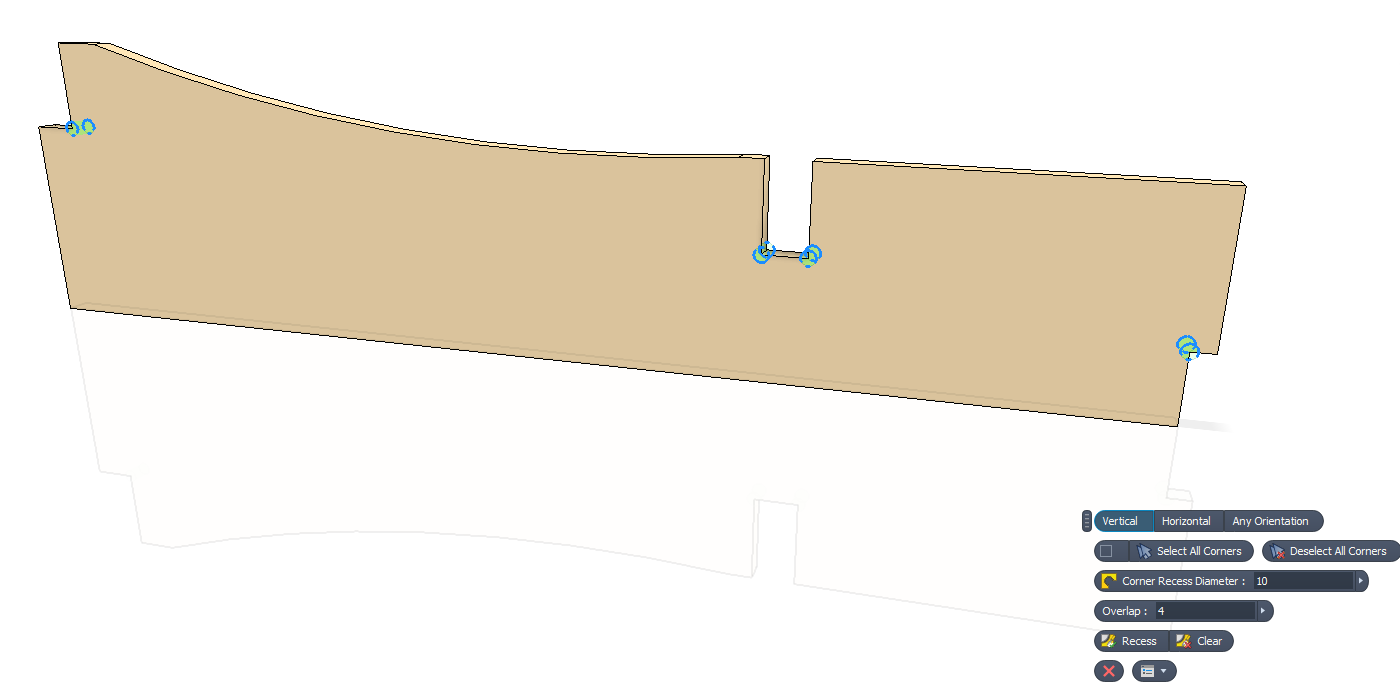
In the Assembly Design environment, the corner recess tools are also adapted, allowing all or individual Panels that have a Woodwork for Inventor material assigned to be selected and Corner Recesses applied to them.
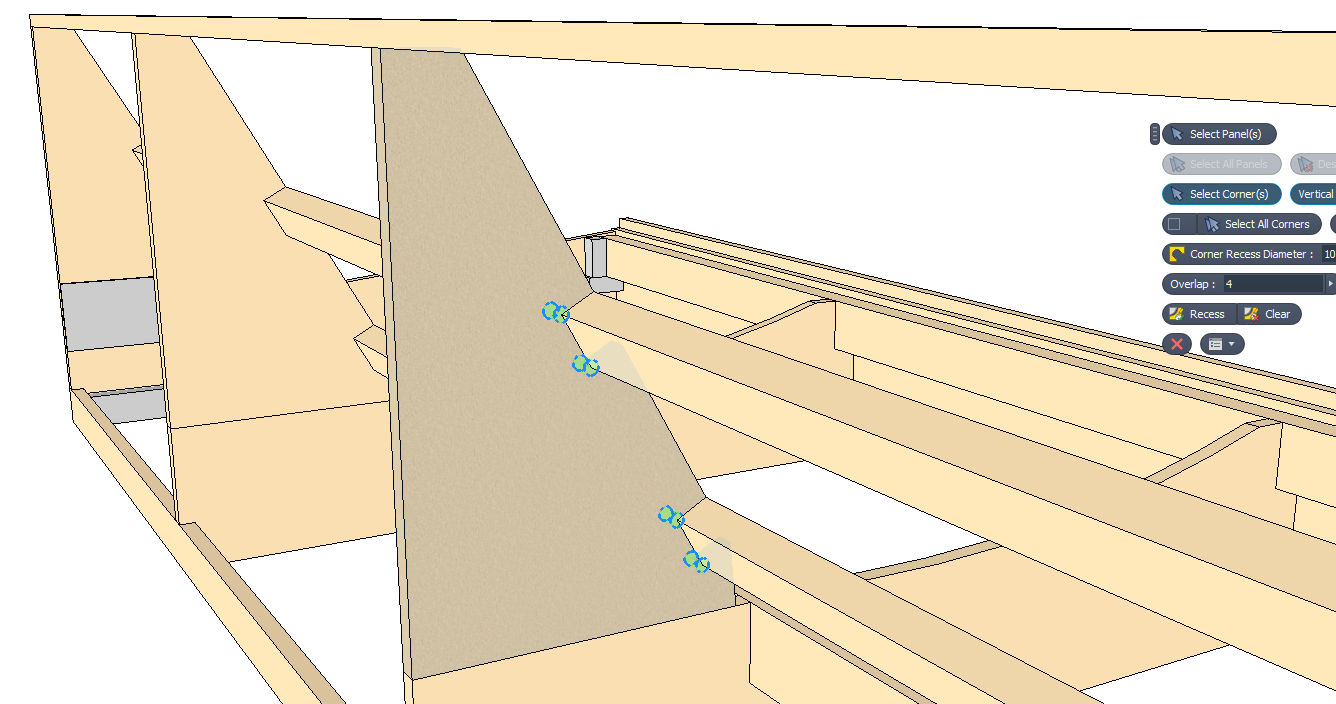 Corner recess in Assembly environment
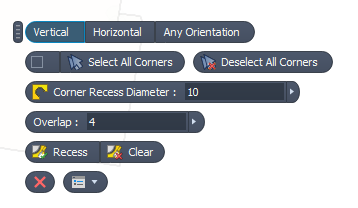
Mini-toolbar tools available in the Assembly Design environment.
▪Select Panel(s) - allows selecting which Panels can be marked and added to the Selection set. ▪Select All Panels - allows collecting all Panels into the Selection set. ▪Deselect All Panels - removes all selected Panels from the Selection set.
▪Select Corner(s) - marks corners suitable for Processing. ✓Vertical - collect only vertical edges/corners. ✓Horizontal - collect only horizontal edges/corners. ✓Any Orientation - collect all edges/corners at any angle. ▪Select All Corners - collect all edges/corners. ▪Deselect All Corners - remove all edges/corners from the Selection set.
▪Corner Recess Diameter - the diameter of the corner recess. ▪Overlap - the offset value from the circle tangent to the corner. This value cannot be greater than the circle radius.ulys.
▪Recess - create corner recesses. ▪Clear - remove corner recesses.
|