Accessed via the menu: Export Options
Here, you can set up parameters of export to other formats.
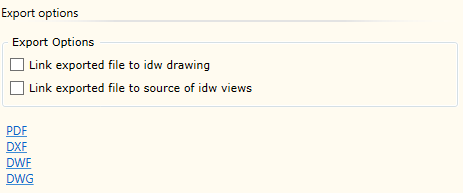
| ▪ | Link exported file to idw drawing: this option means that a reference to the exported file will be generated for .idw file as a 3rd Party item. It is useful when a Check In to Autodesk Vault PDM system is performed. In such a case, the exported file is automatically added to PDM system together with the .idw drawing file. |
| ▪ | Link exported file to source of idw views: this option means that the exported file will be added to the component file that was used as a source when generating the component view in the drawing as a 3rd Party reference. It is different from the previous option in that here, the exported file is linked to the component rather than the drawing. |
Exporting to the following file formats is possible:
| ▪ |
| ▪ | DXF |
| ▪ | DWF |
| ▪ | DWG |
Important! If Woodwork for Inventor was installed immediately after installing Autodesk Inventor, export functions may not work, because Autodesk Inventor does not have its own add-on for exporting drawings to other formats. The user will receive the appropriate message from Woodwork for Inventor. You can solve this issue by exporting a drawing to the desired format using Files -> Export command. Once this is done, Autodesk Inventor loads the add-on and such problems are avoided in the future.